Embarking on the journey of how to coding chatbot integration telegram opens a fascinating world of interactive communication and automated assistance. This guide is designed to illuminate the path, from understanding the foundational architecture of Telegram bots to the intricate details of API interactions and advanced features.
We will delve into the technical blueprints, exploring programming languages, essential libraries, and the setup of your development environment. Furthermore, we will craft intelligent conversational flows, ensuring your chatbot can effectively understand user intent and deliver contextually relevant responses, handling various message types with finesse.
Understanding the Core Concept: Integrating Chatbots with Telegram
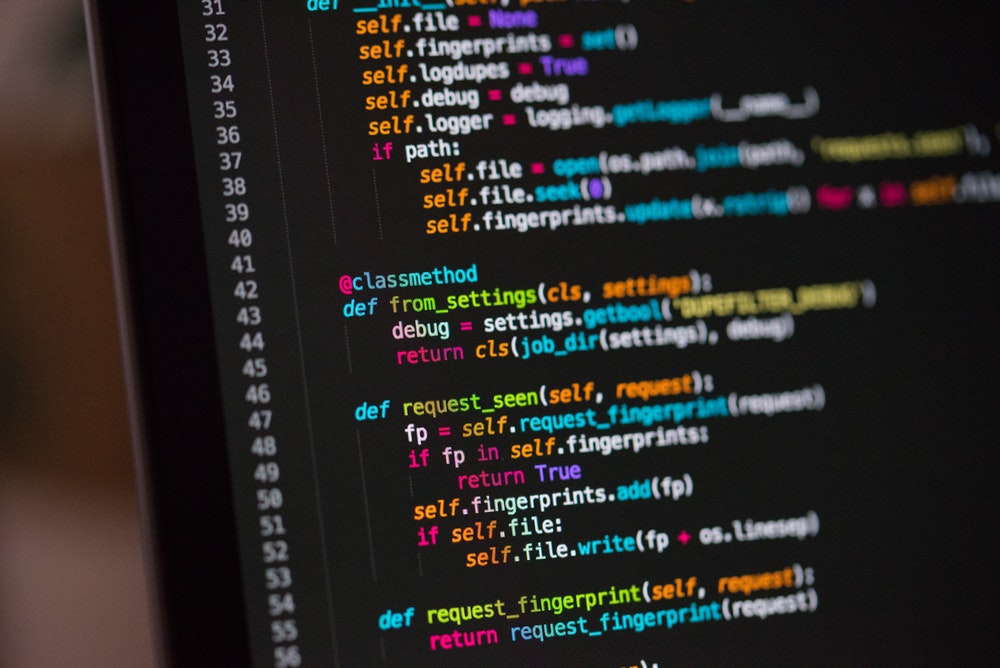
Integrating a chatbot with Telegram opens up a world of possibilities for automated communication, customer support, and engaging user experiences. This process fundamentally involves creating a bridge between your chatbot’s logic and Telegram’s messaging platform, allowing for seamless interaction between users and your automated assistant.At its heart, a Telegram bot is a specialized Telegram account that is controlled by software.
Unlike regular user accounts, bots can be programmed to perform a wide range of tasks, from sending simple messages to complex integrations with external services. The interaction is typically initiated by a user sending a message to the bot, which then triggers a response or action from the bot’s underlying program.
The Fundamental Architecture of a Telegram Bot
The architecture of a Telegram bot revolves around the Telegram Bot API and the bot’s backend server. When a user interacts with a bot, Telegram servers receive the message and forward it to the bot’s server. The bot’s server then processes this message, determines the appropriate action, and sends a response back to Telegram servers, which are then delivered to the user.
This communication flow is facilitated by HTTP requests.
Creating a Basic Telegram Bot Using the BotFather
The initial step in building any Telegram chatbot is to register your bot with Telegram itself. This is accomplished through a special bot named “BotFather.” BotFather is the official bot for managing Telegram bots.To create a bot:
- Open Telegram and search for “BotFather.”
- Start a chat with BotFather.
- Send the command `/newbot`.
- Follow the prompts: BotFather will ask you for a name for your bot (this is what users will see) and a username for your bot (which must end in “bot,” e.g., `my_awesome_bot`).
- Upon successful creation, BotFather will provide you with an API token. This token is crucial as it authenticates your bot and is used to interact with the Telegram Bot API. Keep this token secure.
Necessary Prerequisites for Initiating Chatbot Integration
Before diving into the technical integration, several prerequisites are essential for a smooth and successful process. These ensure that you have the foundational elements in place to develop and deploy your chatbot effectively.The key prerequisites include:
- A Telegram Bot Token: As obtained from BotFather, this token is your bot’s identity and authorization key.
- A Development Environment: This includes a programming language (e.g., Python, Node.js, Java) and the necessary libraries or frameworks for building your chatbot’s logic.
- A Server or Hosting: Your chatbot’s code needs to run somewhere. This could be a local development server, a cloud platform (like Heroku, AWS, Google Cloud), or a dedicated server.
- Understanding of APIs: A grasp of how Application Programming Interfaces work is fundamental for enabling communication.
The Role of APIs in Enabling Communication Between a Chatbot and Telegram
APIs (Application Programming Interfaces) are the backbone of chatbot integration with Telegram. The Telegram Bot API provides a set of predefined methods that your bot’s code can call to perform actions on Telegram, such as sending messages, receiving updates, and managing bot settings.There are two primary methods for interacting with the Telegram Bot API:
- Long Polling: In this method, your bot’s server repeatedly sends requests to Telegram’s servers to check for new messages. While simpler to implement for beginners, it can be less efficient for high-traffic bots.
- Webhooks: With webhooks, you configure Telegram to send HTTP POST requests directly to a specified URL on your server whenever a new message arrives or an update occurs. This is generally more efficient and real-time, making it suitable for production environments.
The API token acts as the authentication mechanism. When your bot’s server makes a request to the Telegram Bot API, it includes this token, proving its identity and authorization to perform the requested action. For example, to send a message, your code would make an HTTP request to an API endpoint like `https://api.telegram.org/bot
Technical Foundations for Coding Chatbot Integration

Embarking on the journey of integrating a chatbot with Telegram requires a solid understanding of the underlying technical components. This section delves into the programming languages, essential libraries, backend logic, and development environment setup that form the bedrock of your Telegram bot project. By mastering these fundamentals, you’ll be well-equipped to build robust and interactive chatbot experiences.To effectively build a Telegram bot, choosing the right programming language is a crucial first step.
Different languages offer varying strengths in terms of community support, available libraries, and ease of development. The following comparison highlights some of the most popular and suitable options for Telegram bot development.
Programming Language Comparison for Bot Development
Here’s a comparative overview of widely used programming languages for creating Telegram bots, focusing on their advantages and suitability for this task.
- Python: Widely acclaimed for its readability, extensive libraries, and a vibrant community, Python is an excellent choice for Telegram bot development. Its asynchronous capabilities, particularly with libraries like `asyncio`, make it efficient for handling multiple requests concurrently.
- Node.js (JavaScript): Leveraging JavaScript on the server-side, Node.js offers a unified language across frontend and backend development. Its event-driven, non-blocking I/O model is highly efficient for real-time applications like chatbots, and it boasts a vast ecosystem of packages through npm.
- Java: A mature and robust language, Java is suitable for enterprise-level bots requiring high performance and scalability. While it might have a steeper learning curve for beginners compared to Python, its strong typing and extensive tooling are beneficial for complex projects.
- Go (Golang): Known for its concurrency features and performance, Go is a compelling option for building highly scalable and efficient bots. Its simplicity and built-in concurrency primitives make it a good choice for handling a large volume of messages.
The development of Telegram bots is significantly streamlined by specialized libraries and frameworks. These tools abstract away much of the complexity of interacting with the Telegram Bot API, allowing developers to focus on the bot’s functionality.
Key Libraries and Frameworks for Telegram Bot Creation
The following are some of the most impactful libraries and frameworks that simplify the process of building Telegram bots.
- Python:
- python-telegram-bot: This is arguably the most popular and comprehensive Python library for the Telegram Bot API. It provides a high-level, asynchronous interface, making it easy to handle updates, send messages, and manage bot functionalities.
- Telebot (pyTelegramBotAPI): Another robust Python library that offers a straightforward way to interact with the Telegram Bot API. It’s known for its ease of use and good documentation.
- Node.js:
- Telegraf: A modern and powerful Node.js framework for Telegram bots. It offers a declarative way to define bot commands and handlers, making code clean and maintainable.
- node-telegram-bot-api: A popular Node.js module that provides a simple interface to the Telegram Bot API. It’s well-maintained and widely used.
- Other Languages: Libraries exist for many other languages, such as `telegram-bot-api` for PHP, `go-telegram-bot-api` for Go, and various Java libraries, catering to diverse development preferences.
At its core, a Telegram bot’s functionality revolves around its backend logic, which is responsible for processing incoming messages and formulating appropriate responses. Understanding these components is vital for designing an effective bot.
Essential Components of a Bot’s Backend Logic
The backend logic of a Telegram bot is the engine that drives its intelligence and interactivity. It comprises several key elements that work in tandem to handle user interactions.
- Update Handling: The bot continuously listens for updates from Telegram servers. These updates can include new messages, edited messages, callback queries, and more. The backend logic must be able to receive and parse these updates efficiently.
- Message Parsing and Intent Recognition: Once an update is received, the backend logic needs to parse the message content. This involves identifying commands (e.g., `/start`, `/help`), s, or the general intent of the user’s query. For more advanced bots, Natural Language Processing (NLP) techniques might be employed here.
- State Management: For conversational bots, maintaining the context of a conversation is crucial. This involves keeping track of user sessions, previous interactions, and any data relevant to the ongoing dialogue.
- Response Generation: Based on the parsed message and recognized intent, the backend logic formulates a response. This could be a simple text message, an image, a button, or a more complex interactive element.
- API Interaction: The backend logic uses the chosen Telegram bot library to send the generated response back to the user through the Telegram API.
- Data Storage (Optional but common): For bots that need to store user preferences, conversation history, or other persistent data, a database integration is often part of the backend logic.
Setting up a proper development environment is a prerequisite for efficient and organized bot development. This involves installing necessary software and configuring it to facilitate coding, testing, and deployment.
Development Environment Setup Steps
The following steps Artikel the essential process for establishing a development environment suitable for coding Telegram chatbot integrations.
- Install a Programming Language Runtime: Download and install the runtime for your chosen programming language (e.g., Python, Node.js) from their official websites. Ensure you are installing a recent and stable version.
- Set up a Package Manager: Most programming languages come with or support package managers (e.g., pip for Python, npm for Node.js). These are essential for installing and managing the libraries and frameworks required for your bot.
- Choose and Install an Integrated Development Environment (IDE) or Text Editor: Select an IDE (like VS Code, PyCharm, Atom) or a powerful text editor that provides features like syntax highlighting, code completion, and debugging tools. Install it and configure it for your chosen programming language.
- Obtain a Telegram Bot Token: This is a critical step. You need to interact with the BotFather on Telegram to create a new bot and obtain its unique API token. This token authenticates your bot with the Telegram API.
- Install Telegram Bot Libraries/Frameworks: Using your package manager, install the chosen Telegram bot library or framework (e.g., `pip install python-telegram-bot` or `npm install telegraf`).
- Version Control System (Recommended): Set up a version control system like Git and create a repository for your project. This allows you to track changes, collaborate with others, and revert to previous versions if needed.
- Environment Variables (for Token Security): It is highly recommended to store your bot token securely using environment variables rather than hardcoding it directly into your script. This prevents accidental exposure of your token.
Designing the Chatbot’s Interaction Logic
Crafting an effective chatbot hinges on its ability to engage users in a natural and intuitive manner. This involves meticulously designing how the chatbot will respond to user inputs, ensuring it understands their intentions and provides helpful, contextually relevant information. A well-designed interaction logic is the backbone of a successful Telegram chatbot, transforming it from a mere tool into a valuable conversational partner.The core of designing interaction logic lies in anticipating user needs and structuring the conversation to guide them efficiently.
This section delves into the practical aspects of creating these conversational pathways, from understanding user requests to generating appropriate responses and managing the ongoing dialogue.
Conversational Flow Design
A well-defined conversational flow is crucial for guiding users through the chatbot’s capabilities. For a simple Telegram chatbot, this flow can be visualized as a decision tree or a state machine, where each user input leads to a specific chatbot response or a set of potential next steps. The goal is to create a logical progression that minimizes user confusion and maximizes task completion.Consider a simple Telegram chatbot designed to provide weather updates.
The conversational flow might begin with a greeting, followed by prompting the user for their location. Once the location is provided, the chatbot fetches and displays the weather. The flow should also accommodate error handling, such as when a location is not recognized.The basic flow can be represented as follows:
- Start: Chatbot greets the user.
- Prompt for Location: Chatbot asks for the user’s city.
- User Provides Location: User inputs a city name.
- Process Location: Chatbot validates and retrieves weather data.
- Display Weather: Chatbot presents the weather information.
- End/Further Interaction: Chatbot asks if the user needs more information or offers other options.
User Input Parsing and Intent Recognition
Effectively understanding what a user wants is paramount for a chatbot. This involves parsing their input to identify their underlying intent. For simple chatbots, matching and regular expressions can be sufficient. For more complex interactions, Natural Language Processing (NLP) techniques become essential.Strategies for parsing user input include:
- Spotting: Identifying specific words or phrases that indicate a user’s intent. For example, in a weather bot, “weather,” “forecast,” or “temperature” would be key indicators.
- Regular Expressions: Using patterns to match specific formats in user input, such as dates, times, or email addresses.
- Named Entity Recognition (NER): Identifying and classifying named entities in text, such as locations, people, or organizations. This is crucial for extracting specific information like city names from a weather request.
- Intent Classification: Using machine learning models to categorize user utterances into predefined intents (e.g., “get_weather,” “set_reminder,” “ask_question”).
For instance, if a user types “What’s the weather like in London tomorrow?”, a robust parser would identify:
- Intent: get_weather
- Entities: Location: London, Date: tomorrow
Generating Relevant and Context-Aware Responses
Once the user’s intent is understood, the chatbot must generate a response that is not only accurate but also contextually relevant and engaging. This involves retrieving information from backend systems, formulating coherent sentences, and adapting the tone to the ongoing conversation.Methods for generating responses include:
- Predefined Templates: Using pre-written response templates that are filled with dynamic information. This is efficient for common queries. For example, “The weather in city is temperature°C with conditions.”
- Dynamic Content Generation: Constructing responses on the fly using data retrieved from APIs or databases.
- Contextual Adaptation: Modifying responses based on previous turns in the conversation. If the user previously asked about London, and then asks “What about Paris?”, the chatbot should understand they are still interested in weather and can respond with “The weather in Paris is…”
- Personalization: Incorporating user-specific information (if available and consented to) to make responses more tailored.
A simple example of a response generation for a weather bot:If the parsed intent is `get_weather` and entities are `Location: New York`, `Date: today`, the chatbot might retrieve data: `”temperature”: 25, “conditions”: “sunny”`.The response could be: “The current weather in New York is sunny with a temperature of 25°C.”
Handling Different Message Types
Telegram supports various message types beyond plain text, including photos, audio, video, documents, and commands. A comprehensive chatbot should be able to process and respond to these different formats appropriately.Examples of handling different message types:
- Text Messages: As discussed, these are parsed for intent and entities.
- Commands: Telegram commands (e.g., `/start`, `/help`) are special text messages that trigger specific predefined actions. The bot framework typically handles routing these directly.
- Photos/Media: A chatbot could be designed to analyze an image and provide information. For example, a plant identification bot could receive a photo of a plant and respond with its species and care instructions. The implementation would involve sending the media to an image recognition API.
- Audio Messages: These can be transcribed into text using speech-to-text services, allowing the chatbot to process them as regular text input.
- Documents: A chatbot could extract text from PDF documents or process other file types based on its intended functionality.
State Management for Multi-Turn Conversations
Many user interactions require multiple turns to complete. Effective state management is crucial for the chatbot to remember the context of the conversation and guide the user through a series of steps. This involves tracking the current stage of the conversation and the information gathered so far.Methods for implementing state management:
- In-Memory Storage: For simpler bots, conversation state can be stored in memory. However, this is lost when the bot restarts.
- Databases: Using databases (e.g., PostgreSQL, MongoDB, Redis) to store conversation states allows for persistence and scalability. Each conversation thread can be assigned a unique identifier.
- Session Management: Associating a state with a user’s unique chat ID. This allows the bot to maintain context for each individual user across multiple interactions.
Consider a booking system where a user needs to book a flight. The state management would track steps like:
- Initial State: User initiates booking.
- Collecting Departure City: Bot asks for departure location.
- Collecting Destination City: Bot asks for destination location.
- Collecting Date: Bot asks for travel date.
- Confirming Details: Bot summarizes all collected information and asks for confirmation.
- Booking Confirmed: Final confirmation message.
If at any point the user deviates or asks a clarifying question, the state management system should allow the bot to handle these interruptions and return to the correct point in the flow, or adjust the flow accordingly.
State management is the art of remembering what has been said and done to make the conversation flow naturally.
Implementing the Telegram Bot API Interaction

This section delves into the practical aspects of connecting your chatbot to Telegram, focusing on how to send and receive messages using the Telegram Bot API. Understanding these mechanisms is crucial for building a responsive and interactive Telegram bot. We will explore the core communication methods and provide guidance on structuring your API interactions effectively.
Advanced Integration Features and Considerations
Beyond the fundamental interaction, a truly robust Telegram chatbot can be empowered by integrating with external systems and employing sophisticated user interface elements. This section delves into these advanced capabilities, enabling you to create more dynamic, personalized, and maintainable chatbot experiences. We will explore how to connect your bot to external data sources, enhance user engagement through interactive elements, and manage the technical aspects of deployment and ongoing upkeep.
Integrating External Services and Databases
Connecting your Telegram bot to external services and databases unlocks a world of possibilities, allowing it to fetch real-time information, store user preferences, and perform complex operations. This integration transforms a simple conversational agent into a powerful tool capable of providing dynamic and personalized responses.To achieve this, you’ll typically interact with APIs provided by these external services or establish direct database connections.
For instance, a weather bot might query a weather API to retrieve current conditions, while a task management bot could interact with a database to store and retrieve user-created tasks.Here are common approaches and considerations:
- API Integrations: Many services offer RESTful APIs that your bot can call using HTTP requests. Libraries in your chosen programming language (e.g., `requests` in Python, `axios` in JavaScript) facilitate these interactions. You’ll need to handle API keys, authentication, and response parsing.
- Database Connectivity: For storing persistent data, connecting to databases like PostgreSQL, MySQL, MongoDB, or even cloud-based solutions like Firebase Realtime Database is crucial. Libraries like `psycopg2` (Python for PostgreSQL) or `mongoose` (Node.js for MongoDB) simplify database operations.
- Webhooks: In some scenarios, external services can send real-time updates to your bot via webhooks. This is an efficient way for services to notify your bot of events, such as a new order placed on an e-commerce platform.
- Data Synchronization: Consider how data will be synchronized between your bot and external systems to ensure consistency. This might involve scheduled updates or event-driven mechanisms.
Enhancing User Experience with Inline Keyboards and Custom Replies
A seamless and intuitive user experience is paramount for chatbot adoption and satisfaction. Telegram offers powerful tools like inline keyboards and custom reply keyboards that allow for structured and efficient user input, significantly improving interaction flow.Inline keyboards are attached directly to messages, providing interactive buttons that users can tap to trigger specific actions or provide input without typing. Custom reply keyboards, on the other hand, replace the standard keyboard with a set of predefined buttons, guiding users through common commands or options.Key benefits and techniques include:
- Inline Keyboards:
- Callback Queries: Buttons on inline keyboards often trigger callback queries, allowing your bot to receive specific data when a button is pressed. This is ideal for selecting options, confirming actions, or navigating through content.
- Dynamic Generation: Inline keyboards can be generated dynamically based on the context of the conversation, presenting relevant choices to the user at the right time.
- URL Buttons: Include buttons that open external websites or specific Telegram chat links.
- Custom Reply Keyboards:
- Guided Navigation: Use these keyboards to present a menu of available commands, making it easier for users to discover and utilize your bot’s features.
- Persistent Options: Unlike inline keyboards, reply keyboards can be set to persist, remaining visible until explicitly removed.
- One-Time Use: For specific scenarios, you can configure reply keyboards to be used only once.
- Rich Media: Beyond buttons, Telegram supports sending various media types like photos, videos, audio, and documents. Strategically using these can make your bot’s responses more engaging and informative.
Deploying and Hosting the Telegram Bot
Once your chatbot is developed, making it accessible to users requires deploying it to a server. The hosting environment needs to be continuously running to process incoming messages and send responses.Several hosting strategies cater to different needs and technical expertise levels:
- Cloud Virtual Private Servers (VPS): Platforms like AWS EC2, Google Cloud Compute Engine, or DigitalOcean offer virtual machines where you can install your bot’s dependencies, run your code, and manage its environment. This provides full control but requires server administration skills.
- Platform as a Service (PaaS): Services like Heroku, Google App Engine, or AWS Elastic Beanstalk abstract away much of the server management. You typically deploy your code, and the platform handles scaling, load balancing, and infrastructure. This is often a good balance between control and ease of use.
- Serverless Functions: For bots with intermittent traffic or event-driven architectures, serverless platforms like AWS Lambda or Google Cloud Functions can be highly cost-effective. Your bot code runs only when triggered by an event (e.g., an incoming Telegram message), and you pay only for the compute time used.
- Containerization (Docker): Packaging your bot application and its dependencies into Docker containers simplifies deployment and ensures consistency across different environments. Orchestration tools like Kubernetes can then manage these containers at scale.
When choosing a hosting solution, consider factors such as cost, scalability requirements, ease of management, and your team’s technical expertise.
Security Best Practices for Chatbot Development
Security is a critical aspect of chatbot development, especially when handling user data or interacting with sensitive external systems. Implementing robust security measures protects your users, your bot, and your infrastructure from potential threats.Adhering to best practices ensures the integrity and trustworthiness of your chatbot:
- Input Validation and Sanitization: Always validate and sanitize user input to prevent injection attacks (e.g., SQL injection, cross-site scripting) if your bot interacts with databases or web applications.
- Secure API Keys and Credentials: Never hardcode API keys, database passwords, or other sensitive credentials directly in your code. Use environment variables or secure secret management services.
- HTTPS for Communication: Ensure all communication between your bot and external services, and between Telegram and your bot’s server, uses HTTPS to encrypt data in transit.
- Rate Limiting: Implement rate limiting on your bot’s API endpoints to prevent abuse and denial-of-service attacks. This limits the number of requests a user or IP address can make within a specific time frame.
- User Authentication and Authorization: If your bot handles sensitive information or performs actions on behalf of users, implement proper authentication and authorization mechanisms to ensure only legitimate users can access specific features.
- Regular Security Audits: Periodically review your bot’s code and infrastructure for potential vulnerabilities. Consider using security scanning tools.
- Handle Sensitive Data Carefully: Avoid storing unnecessary sensitive user data. If you must store it, ensure it is encrypted at rest and handled according to privacy regulations.
Managing Bot Updates and Maintenance
The lifecycle of a chatbot extends beyond its initial deployment. Regular updates and ongoing maintenance are essential for ensuring its continued functionality, security, and relevance. A well-defined strategy for managing these aspects will save time and prevent potential issues.Different approaches to managing updates and maintenance offer varying levels of automation and control:
- Version Control (Git): Using a version control system like Git is fundamental. It allows you to track changes, collaborate with others, and easily revert to previous versions if issues arise.
- Continuous Integration/Continuous Deployment (CI/CD): Implementing CI/CD pipelines automates the process of building, testing, and deploying your bot. Tools like Jenkins, GitHub Actions, or GitLab CI can significantly streamline this workflow.
- Continuous Integration: Automatically build and test your code every time a change is committed, catching bugs early.
- Continuous Deployment: Automatically deploy tested code to your production environment.
- Staging Environments: Before deploying updates to your live production environment, test them thoroughly in a staging environment that mirrors production. This helps catch unexpected issues.
- Monitoring and Logging: Implement comprehensive logging for your bot to track its behavior, identify errors, and understand usage patterns. Set up monitoring tools to alert you to performance issues or downtime.
- Rollback Strategies: Have a clear plan for how to quickly roll back to a previous stable version if a new deployment introduces critical bugs.
- Documentation: Maintain up-to-date documentation for your bot’s code, architecture, and deployment process. This is invaluable for troubleshooting and onboarding new team members.
Practical Application Scenarios
Having understood the core concepts, technical foundations, interaction design, API implementation, and advanced features, we now explore practical scenarios where Telegram chatbot integration shines. These examples illustrate how diverse functionalities can be brought to life, enhancing user experience and automating tasks across various domains.
Customer Support Chatbot Conceptualization
A customer support chatbot integrated with Telegram can serve as a first point of contact for users, offering immediate assistance and freeing up human agents for more complex issues. The conceptualization involves defining the chatbot’s scope, capabilities, and integration points within the existing support infrastructure.The core idea is to provide a seamless and accessible support channel directly within the Telegram application.
Users can interact with the bot to:
- Submit support tickets with detailed descriptions and attachments.
- Track the status of their existing tickets.
- Access a knowledge base for frequently asked questions (FAQs).
- Receive automated responses for common queries.
- Be seamlessly handed over to a live agent when necessary.
This conceptualization requires mapping user journeys, identifying common support requests, and designing the conversational flow to be intuitive and efficient.
Notification Bot Workflow Design
A notification bot is designed to proactively send updates and alerts to Telegram users based on specific triggers or schedules. The workflow design focuses on reliability, user control, and clear communication.The typical workflow for a notification bot involves the following steps:
- User Subscription: Users opt-in to receive specific types of notifications, often through a command like `/subscribe news` or by interacting with inline buttons.
- Data Source Integration: The bot connects to external data sources such as news feeds, social media APIs, weather services, or internal company databases.
- Triggering Mechanism: Notifications are triggered either by real-time events (e.g., a new stock price alert) or by scheduled checks (e.g., daily digest).
- Message Generation: The bot formats the relevant information into a concise and readable Telegram message. This may include text, images, or structured data.
- Delivery to Users: The bot sends the generated message to all subscribed users or specific user groups.
- User Feedback/Interaction: Optionally, users can interact with the notification, perhaps by clicking a button to read more or providing a quick reaction.
For instance, a weather notification bot might check the forecast every hour and send a message like “Good morning! Today’s forecast for London is partly cloudy with a high of 18°C. Expect light rain this afternoon.”
Simple Quiz Bot Development
Developing a simple quiz bot for Telegram involves creating an interactive experience where users can test their knowledge on a chosen topic. The development process focuses on question management, answer evaluation, and scorekeeping.Key aspects of developing a quiz bot include:
- Question Bank: A collection of questions, each with multiple-choice answers and a designated correct answer. This can be stored in a simple database, a JSON file, or even hardcoded for very basic bots.
- Question Presentation: The bot presents one question at a time, along with its answer options, typically using Telegram’s reply markup or inline keyboards.
- Answer Handling: When a user selects an answer, the bot compares it to the correct answer.
- Feedback and Scoring: The bot provides immediate feedback (correct/incorrect) and updates the user’s score.
- Quiz Progression: After each question, the bot proceeds to the next, continuing until the quiz is completed.
- End of Quiz: Upon completion, the bot displays the user’s final score and perhaps a congratulatory message.
A basic quiz question might look like this:Question: What is the capital of France?A) BerlinB) MadridC) ParisD) RomeWhen the user selects ‘C’, the bot confirms “Correct!” and adds a point to their score.
Task Management Bot Technical Requirements
A task management bot on Telegram aims to help users organize their to-do lists, set reminders, and track task progress directly within the chat interface. Organizing the technical requirements is crucial for a robust and user-friendly experience.The technical requirements can be categorized as follows:
- User Authentication and Data Storage: Securely identify users and store their tasks. This could involve using Telegram User IDs and a database (e.g., PostgreSQL, MongoDB, SQLite).
- Task Creation and Editing: Commands to add new tasks (e.g., `/add task: Buy groceries due: tomorrow`), edit existing ones, and mark them as complete.
- Reminder System: Functionality to set reminders for tasks, leveraging scheduled jobs or a dedicated scheduling service.
- Task Retrieval and Display: Commands to view all tasks, filter by status (pending, completed), or sort by due date.
- Natural Language Processing (NLP) (Optional but Recommended): To interpret more natural user input for task creation and management, making the bot more intuitive.
- Integration with Calendar/Other Tools (Advanced): Potential integration with Google Calendar or other productivity tools.
For example, a user might type `/add task: Prepare presentation slides due: Friday 5 PM reminder: Thursday 9 AM`. The bot would parse this, store the task with its details, and set a reminder.
Representing Data with HTML Tables
Bots can fetch data from various sources and present it to users in a structured and easily digestible format. HTML tables are an excellent way to display tabular data fetched by a bot within Telegram messages.When a bot retrieves data that has multiple fields and records, such as a list of products, user statistics, or financial reports, it can construct an HTML table to present this information.
Telegram supports rendering basic HTML within message text, allowing for formatted tables.Consider a bot that fetches product information from an e-commerce API. The bot could retrieve a list of products, each with a name, price, and stock quantity. To display this, the bot would generate HTML like the following:
| Product Name | Price | Stock |
|---|---|---|
| Laptop X | $1200 | 50 |
| Smartphone Y | $800 | 150 |
| Tablet Z | $300 | 75 |
When this HTML is sent as a message in Telegram, it will render as a visually organized table, making it much easier for users to compare and understand the data at a glance compared to plain text.
Final Conclusion

In conclusion, mastering how to code a chatbot integration with Telegram unlocks a powerful tool for engagement and service delivery. By following the steps Artikeld, from initial setup and core logic design to advanced features and practical applications, you are well-equipped to build sophisticated and user-friendly chatbots that can revolutionize how you interact with your audience on this popular platform.